
Hapio is headless. You build the booking experience your customers see, and we handle availability, schedules and bookings behind the curtain. But every project also has a back office. Someone needs to see this week’s bookings, block out an afternoon, add a new service, or fix a booking a customer called about. Until now, everyone built that part themselves.
Today we’re releasing Hapio Admin, an open-source admin panel for the Hapio API. Clone it, add your API token, and you have a complete back office for your project in a few minutes.
What it does
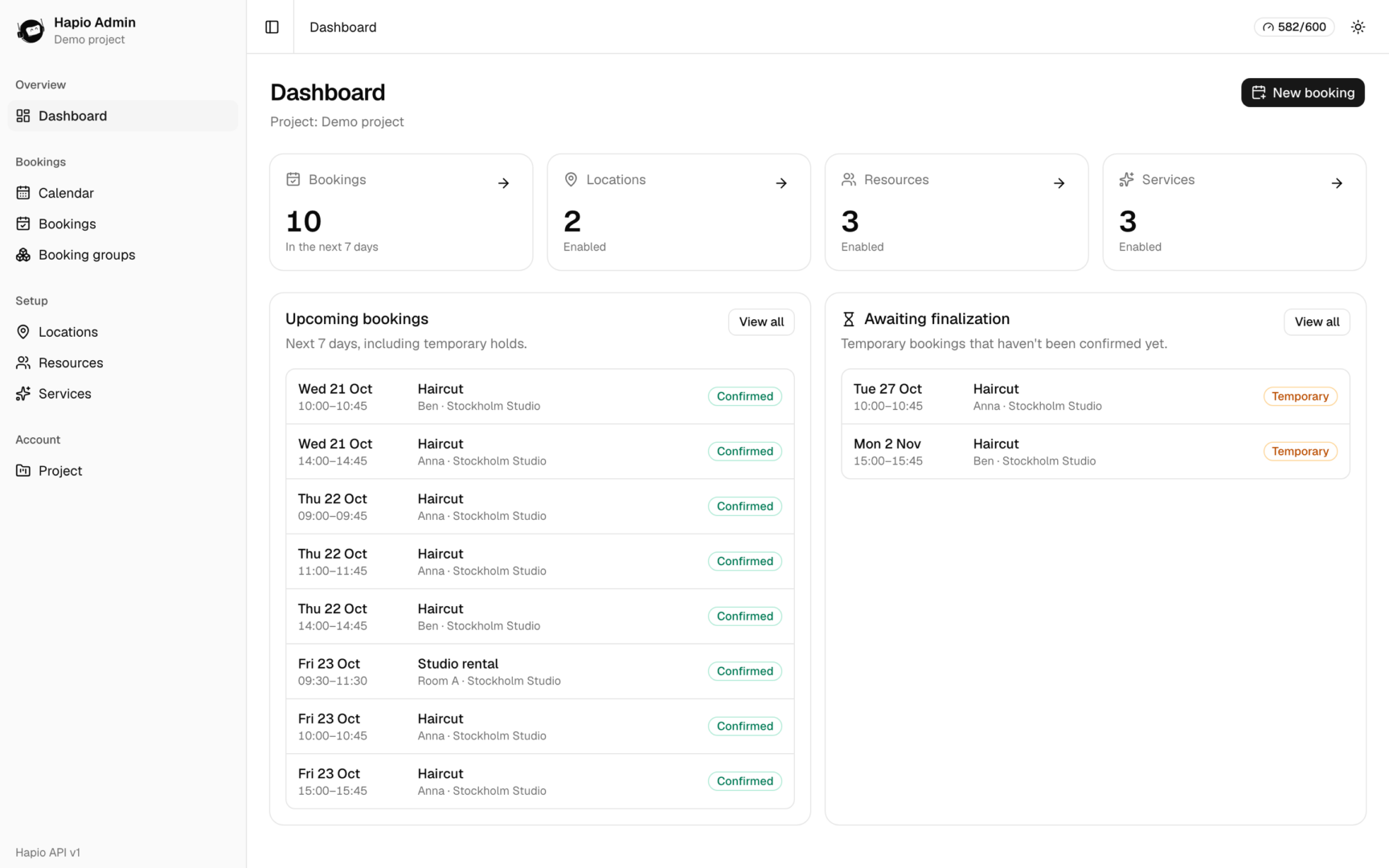
Hapio Admin covers every operation in the Hapio API v1: locations, resources, services, schedules, bookable slots, bookings and booking groups. If the API can do it, the panel has a page, a form or a button for it.
Some highlights:
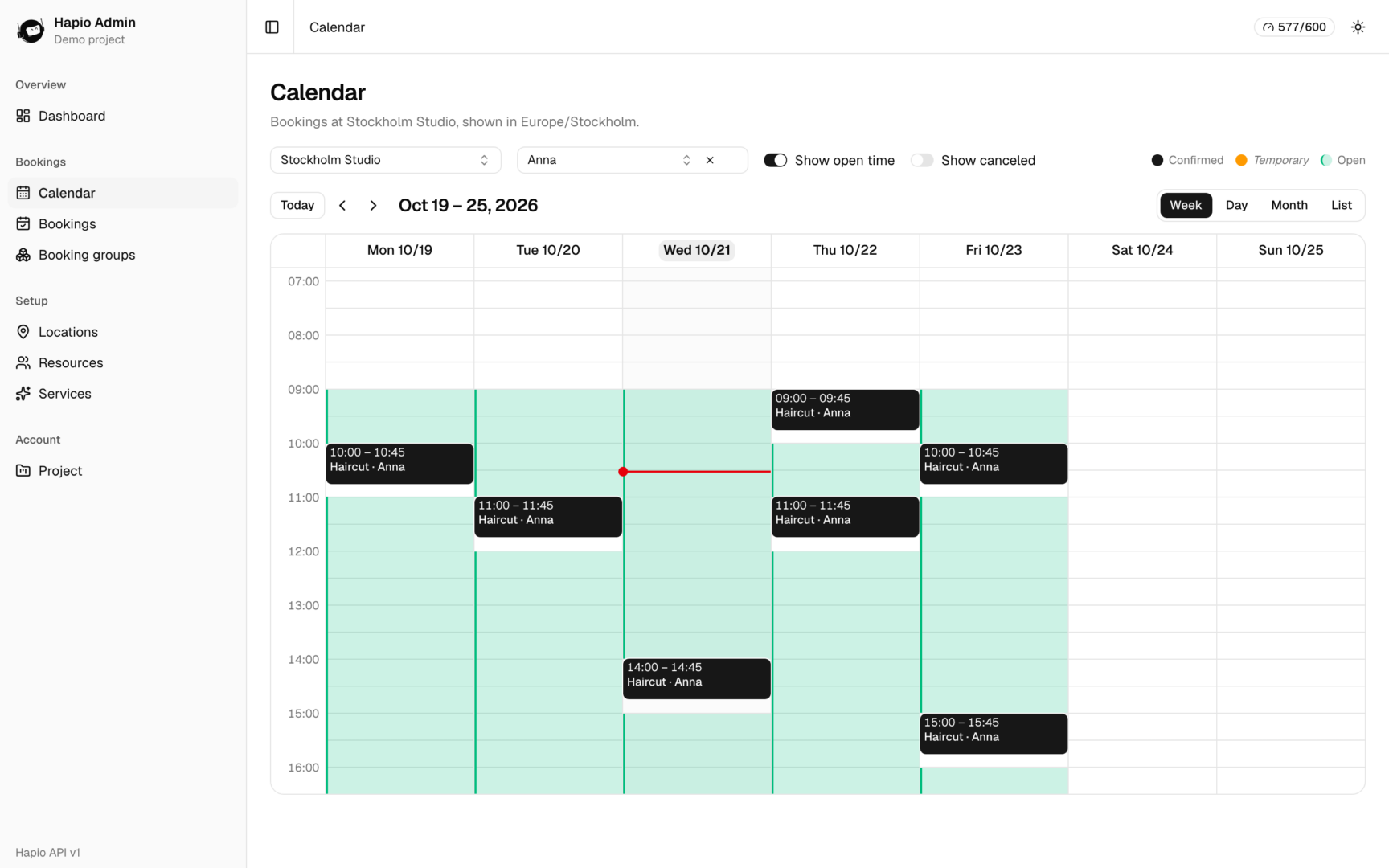
- Calendar. Week, day, month and list views of your bookings, one location at a time and in that location’s time zone. Turn on “Show open time” to shade a resource’s schedule behind the bookings, so gaps are easy to spot.
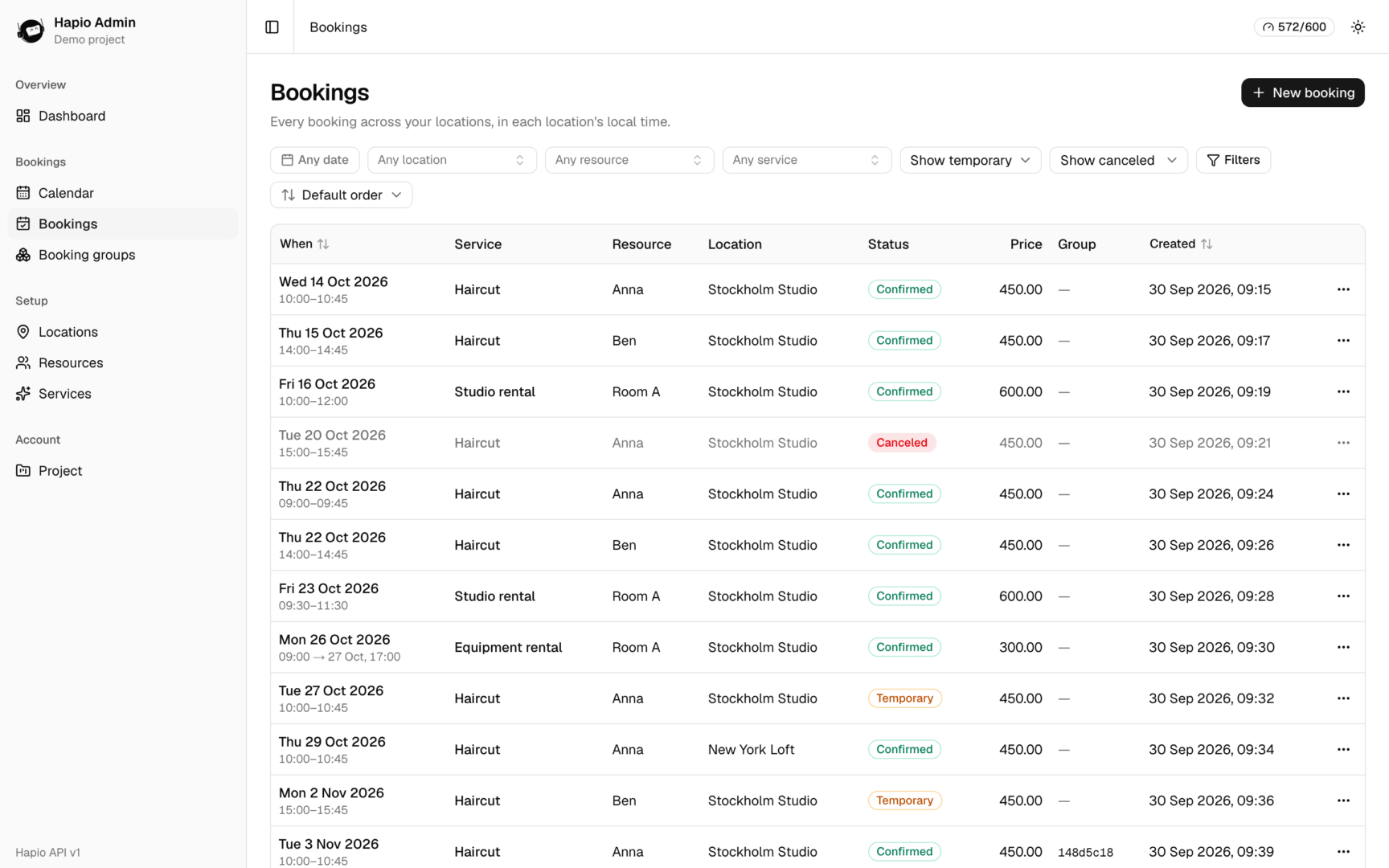
- Bookings. A sortable table with filters for date range, location, resource, service, temporary holds and canceled bookings. Finalize, cancel, restore or delete straight from the list, and keep related bookings together with booking groups.
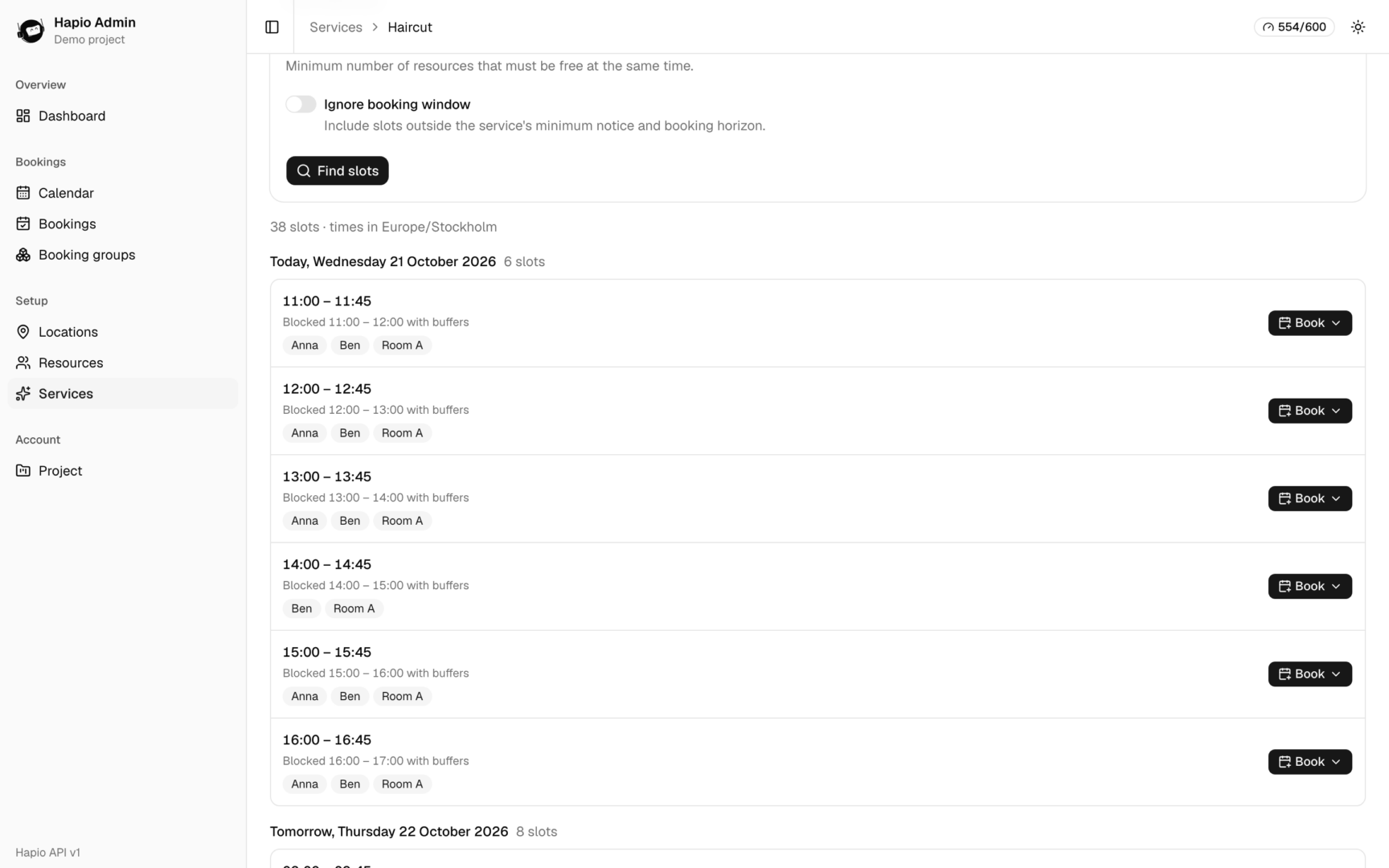
- Book from a slot. The Bookable slots tab on a service searches availability the way your customers see it. Every slot has a Book button that opens a prefilled booking form.
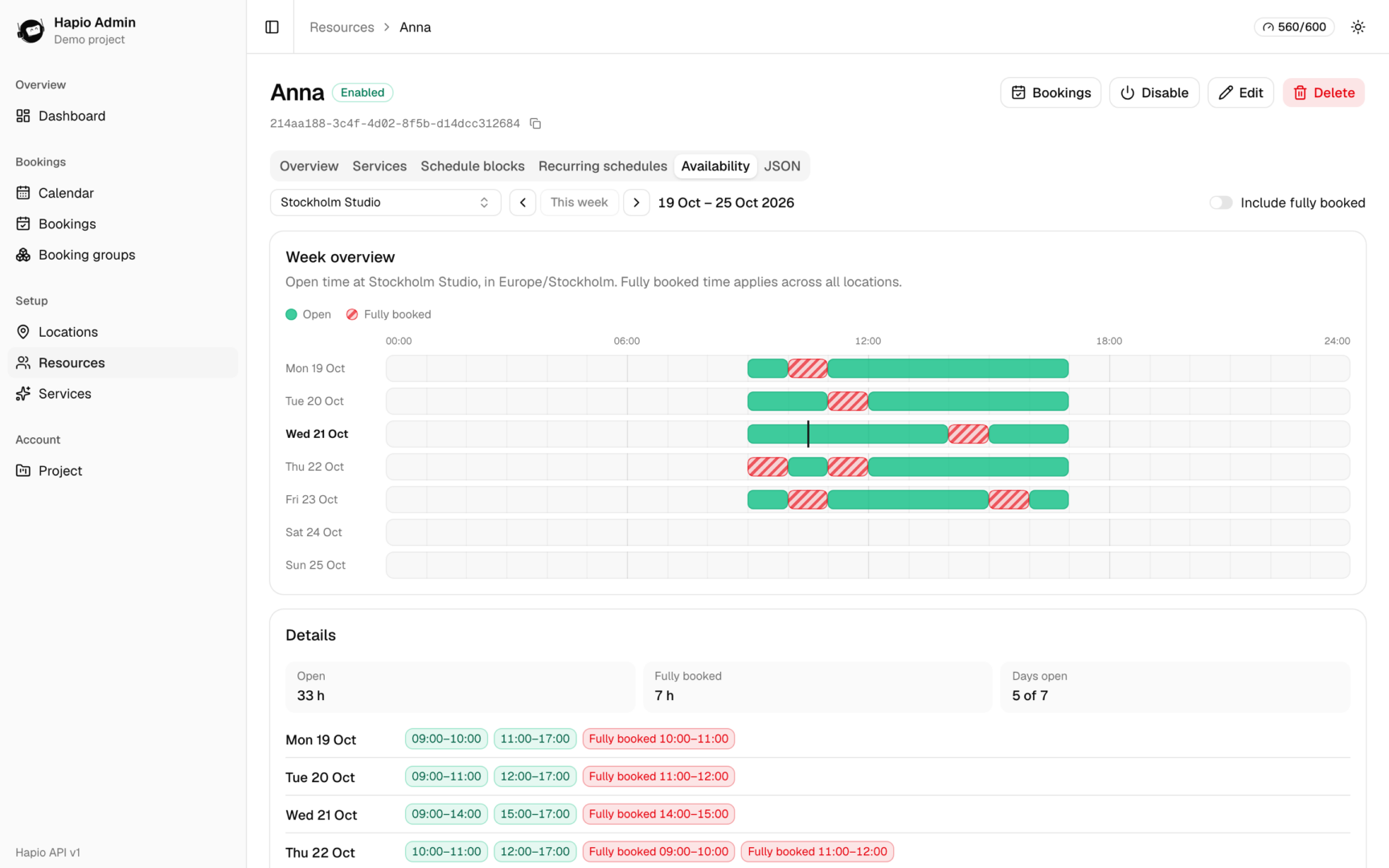
- Schedules. Set recurring weekly hours per resource, add one-off schedule blocks for holidays and exceptions, and check an availability timeline of open and fully booked time.
- Override rules. Every booking form exposes the API’s override flags, so an admin can book outside the schedule or past the cancelation threshold when needed.
- Raw JSON when you need it. Every detail page has a JSON tab with the raw API response, with copy and full replace (PUT). Regular edits send PATCH with only the fields you changed.
- Shareable views. Filters, sorting and tabs live in the URL, so a view can be bookmarked or sent to a colleague. Dark mode is included, and it works on a phone.
Your token stays on the server
The browser never sees your Hapio API token. The panel talks to a small server-side proxy that adds the token and forwards the request to Hapio. The proxy only answers for hostnames you allow and rejects cross-site requests.
There is no login built in. Run it on your own machine or behind the VPN or single sign-on you already have. Give the token only the abilities your admins need, and Hapio enforces them. The header shows your remaining rate limit in real time.
Getting started
You need Node.js 22 or later and an API token from the Hapio portal.
shell
git clone https://github.com/Hapio-Booking-and-Scheduling-API/hapio-admin-panel-nextjs
cd hapio-admin
npm install
cp .env.example .env.local   # set HAPIO_API_TOKEN
npm run dev                  # http://127.0.0.1:3000
To try it without a project, npm run mock starts an in-memory mock of the Hapio API with demo data. If your own project is empty, npm run seed adds demo locations, resources, services and bookings, and --clean removes them again.
What stays in the portal
API tokens, webhooks and project settings have no API endpoints, so they stay in the Hapio portal. The panel’s Project page shows your project details and lists every webhook event, with a note on how to verify signatures.
Hapio Admin is built with Next.js 16, React 19, Tailwind CSS 4 and shadcn/ui. The calendar is based on Hapio Calendar, our own calendar component for React. It is MIT licensed and covered by unit and end-to-end tests. Issues and pull requests are welcome on GitHub.
With Hapio Admin, the back office is ready on day one. Try it today!